Does Trello Have Gantt Charts? A 2026 Planning Guide for You
You open Trello expecting a clear timeline, then discover cards arranged across lists and boards instead of a classic Gantt view. That gap becomes painful when your project has dependencies, launch dates, or several teams competing for the same milestone. A board can show what needs attention today, but it may leave tomorrow’s risks hidden.
But here's the truth: Trello does not include a native Gantt chart in its standard board experience. You can create a timeline through Power-Ups, integrations, or another planning platform. This guide explains your practical options, when each approach works, and how to choose a planning method that fits your project in 2026.
Does Trello Have Gantt Charts?
Trello does not have a native Gantt chart view. Trello organizes work with boards, lists, and cards, while Gantt charts place tasks on a time-based schedule with start dates, end dates, durations, and dependencies.
Trello does offer timeline-style planning through selected Power-Ups and third-party integrations. Those options can turn card dates into a visual schedule, although the exact features depend on the extension, plan, and setup you choose.
What Trello Provides Natively
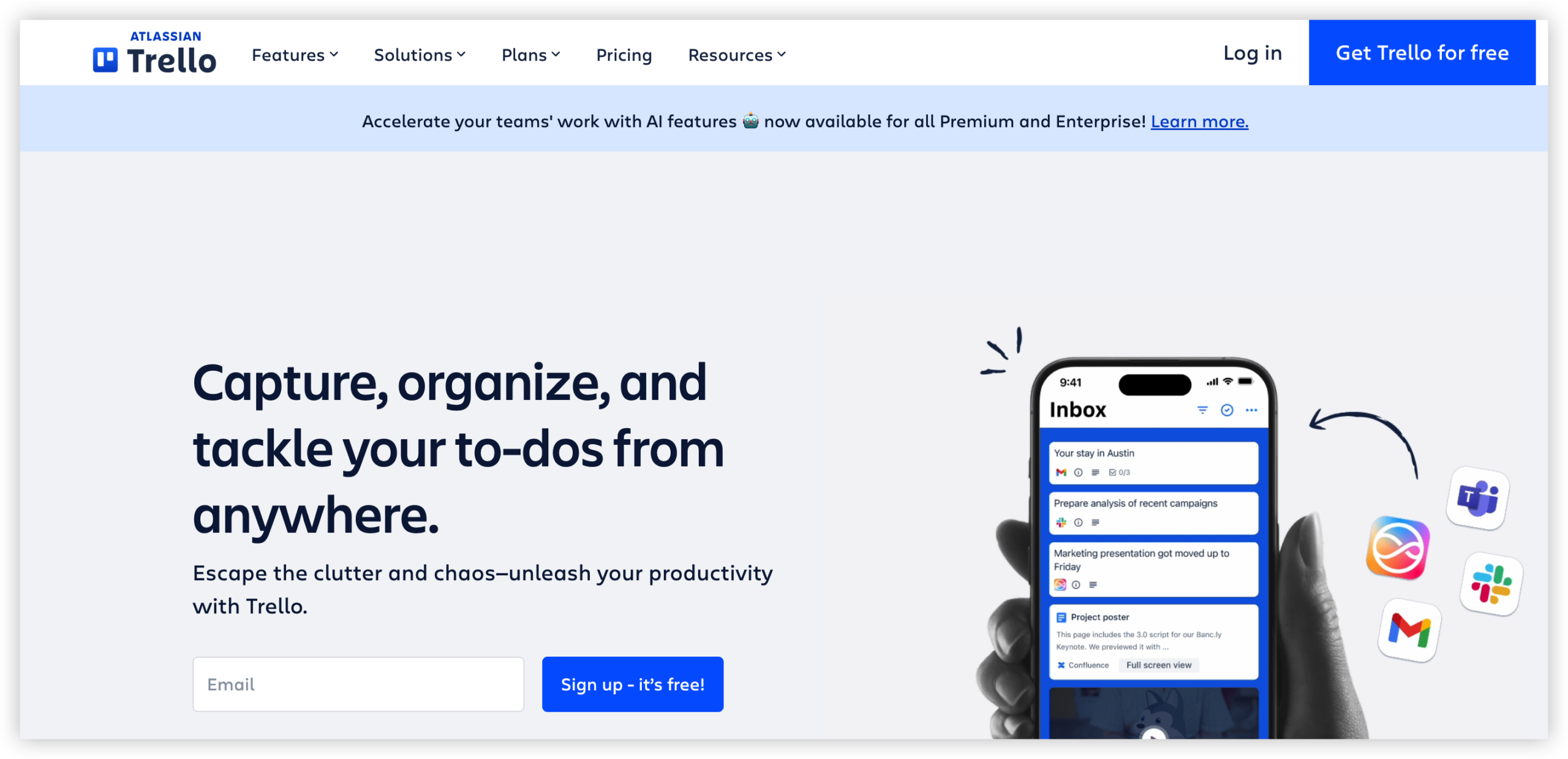
Trello’s core experience centers on Kanban-style work management. You create cards for tasks, move them between lists, assign members, add labels, and attach due dates.
For example, a marketing board might use these lists:
- Ideas
- Planned
- In progress
- Waiting for review
- Completed
This arrangement makes workflow status easy to understand. A team can quickly see which card needs attention and who owns it.
Trello also includes calendar and timeline-style planning features in certain plans or configurations. These views help you arrange cards by date, but they do not automatically create the full dependency-driven structure associated with a traditional Gantt chart.
What a Traditional Gantt Chart Adds
A Gantt chart displays each task as a horizontal bar across a calendar. The bar length represents the planned duration, while its position shows when work starts and ends.
A mature Gantt view commonly includes:
- Task start and finish dates
- Duration shown on a calendar scale
- Milestones
- Task dependencies
- Overlapping work
- Progress indicators
- Resource or team assignments
- Baseline and schedule comparison
Consider a website launch. The design must finish before development can complete its final implementation. Development must finish before testing begins. A dependency-aware timeline makes that sequence visible.
Trello can represent those relationships with linked cards, checklists, labels, and due dates. A dedicated Gantt experience displays the relationships more directly.
How to Create a Gantt-Style Plan With Trello
You have three practical routes: use Trello’s available timeline features, add a Power-Up, or connect Trello to a separate planning service.
Option One: Use Trello’s Timeline View
If your Trello plan includes a timeline feature, start by adding dates to every important card. Use start dates and due dates where available, rather than relying only on a final deadline.
- Create one card for each meaningful deliverable.
- Add a realistic start date and due date.
- Assign one owner to each card.
- Group cards by list, label, or team.
- Open the timeline view and arrange the schedule.
- Review overlaps and unusually long gaps.
Suppose a product launch contains five cards: requirements, design, development, quality assurance, and release. Assigning dates to each card gives you a basic calendar plan.
Here's why: the quality of your timeline depends on the quality of your card dates. A board full of vague due dates will produce a vague schedule, regardless of the view you use.
Option Two: Add a Power-Up
A Power-Up can extend Trello with planning features that are not part of the basic board experience. Some options provide timeline, dependency, workload, or scheduling functions.
Before choosing one, inspect these details:
- Whether it supports start dates
- Whether it supports task dependencies
- Whether changes sync in both directions
- Whether milestones are available
- Whether multiple boards can appear together
- Whether reporting is included
- Whether pricing changes with team size
The best part? You can keep Trello as your team’s daily workspace while adding a planning layer for larger schedules.
However, every additional extension introduces setup and maintenance work. Your team may need to learn another interface, check synchronization rules, and manage another subscription.
Option Three: Connect Trello to Another Planning Platform
An integration can send Trello card information into a dedicated timeline or project scheduling platform. This approach may suit teams that already rely on Trello for task execution but need stronger planning controls.
A simple workflow might look like this:
- Create and assign cards in Trello.
- Apply consistent labels and dates.
- Sync selected cards with the planning platform.
- Build dependencies and milestones there.
- Review the schedule during weekly planning.
- Return to Trello for day-to-day task updates.
Watch for synchronization conflicts. If a due date changes in one place but fails to update elsewhere, your schedule can become unreliable.
Build a Reliable Schedule Before You Choose a View
A Gantt-style display cannot repair unclear planning. First define the deliverables, task owners, estimated effort, and relationships between activities.
For example, “prepare campaign” is too broad for useful scheduling. Break it into audience research, message approval, design, landing page development, tracking setup, and launch review.
You might be wondering: how much detail should each card contain? Use the smallest unit that one person can complete and report without confusion. A task that lasts three months probably contains several separate activities.
Trello Timeline Versus a Full Gantt Chart
The difference becomes clearer when you compare planning needs rather than product labels.
| Planning need | Trello board or timeline | Full Gantt approach |
|---|---|---|
| Track task status | Excellent through lists and card movement | Available through task bars and progress fields |
| Show calendar dates | Available with dates and supported views | Core capability |
| Display dependencies | Usually requires conventions, links, or extensions | Central feature |
| Manage milestones | Possible with labels, cards, or add-ons | Usually built in |
| Balance team capacity | May require extra setup | Often supported through workload planning |
| Track a baseline schedule | Limited or extension-dependent | Common in advanced planning tools |
For a small creative team with flexible deadlines, Trello may provide enough visibility. A product launch involving legal review, engineering dependencies, vendor coordination, and fixed release dates usually needs more scheduling depth.
Let me explain: the right question is not simply whether Trello can display bars on a timeline. Ask whether your team can identify schedule risk early and respond before a milestone moves.
When Trello Works Well for Project Planning
Trello is a strong choice when your work moves through recognizable stages and the team values quick visual updates.
Good Fits for Trello
- Editorial calendars with flexible publishing dates
- Simple marketing campaigns
- Personal planning and small team projects
- Routine content production
- Lightweight event preparation
- Support or operations queues
Imagine a four-person content team. Each card represents an article, each list represents a workflow stage, and each due date marks an intended publication day. The board gives enough visibility without forcing the team into complex scheduling.
Trello also works well when priorities change often. Moving a card between lists takes seconds, and team members can comment directly on the work item.
Warning Signs That You Need More Planning Depth
Your board may become difficult to manage when tasks depend heavily on one another or when missed dates create major financial consequences.
Watch for these signals:
- Several tasks depend on one approval
- One specialist supports many simultaneous projects
- Teams repeatedly miss handoff dates
- Leaders ask for a cross-project schedule
- People maintain separate planning views outside Trello
- Changing one deadline requires many manual updates
For example, a construction technology rollout may involve security testing, procurement, training, integration work, and a fixed customer launch. A simple board can track activities, but a linked schedule reveals the consequences of a two-week delay.
How to Plan Dependencies Without Creating Confusion
Dependencies describe relationships between activities. A finish-to-start relationship means one activity must finish before another can begin.
Use a simple dependency register inside your planning process. For each relationship, identify:
- The preceding task
- The following task
- The reason for the relationship
- The owner of each task
- The latest acceptable handoff date
For instance, “approve product claims” may precede “publish launch page.” The reason is clear: publishing before approval could create compliance risk.
Use Consistent Card Conventions
Agree on naming, labels, date formats, and ownership rules. A card titled “review” gives little context. “Legal review of pricing page” is easier to schedule and assign.
Use labels for meaningful categories, such as:
- Critical milestone
- External dependency
- Blocked
- Leadership decision
- Customer-facing activity
Keep labels limited. When every card has five colors, the visual signal loses value.
Review the Plan at a Predictable Rhythm
A schedule stays useful only when people maintain it. Hold a short weekly review and ask which dates changed, which tasks are blocked, and which upcoming handoffs need attention.
During the meeting, update the plan immediately. Delaying changes until the end of the week can hide emerging risks.
Natural Trello Gantt Planning Solution: ONES.com

Value Proposition
ONES.com combines project management and knowledge management in one platform, powered by ONES Assistant. ONES Project is a Jira alternative for teams that need structured workflows, reporting, and deployment flexibility.
It can suit teams that have outgrown lightweight board planning and want stronger control over project execution without assembling many separate extensions.
Core Capabilities
- Scattered task tracking → ONES Project’s unified project workspace → Keep work organized across structured projects, sprints, tasks, and statuses.
- Unclear handoffs → Custom workflows and fields → Capture the status, owner, priority, and approval details your process requires.
- Manual progress reporting → Built-in reporting → Give project leaders clearer visibility into progress, workload, and delivery trends.
- Repeated administrative work → Automation → Reduce repetitive status changes, notifications, and workflow actions.
- Inconsistent agile execution → Sprint management → Plan iterations, assign work, and review sprint progress in a repeatable way.
- Too many plugins → Native feature parity → Cover core project management needs with fewer separate extensions to configure and maintain.
- Migration concerns → Jira-compatible workflows → Give teams familiar process patterns when moving from Jira or evaluating a Jira alternative.
- Deployment restrictions → Four deployment choices → Choose Cloud, On-Premise, Private Cloud, or Air-gapped deployment.
- Separate project and knowledge areas → ONES.com’s unified platform → Connect project execution with team knowledge management through ONES Wiki, sold separately from ONES Project.
ONES.com offers a free plan for up to 30 seats. Its self-hosted versions maintain feature parity with the cloud version, which matters when your organization needs tighter control over infrastructure.
Application Scenarios
Software release planning: A development team can manage sprint work, custom approval steps, automation, and progress reporting in one project environment. This helps connect daily execution with release oversight.
Restricted-network project management: A regulated organization may need an air-gapped or On-Premise deployment. The team can maintain project workflows within its approved environment while keeping structured planning controls.
Cross-functional product delivery: Product, engineering, quality assurance, and leadership can use shared workflows and reporting. ONES Wiki can hold related team knowledge when purchased separately.
Common Challenges and Practical Solutions
Challenge: Dates Exist, Yet Dependencies Stay Hidden
A card may have a due date without showing what must happen first. This creates false confidence because every task appears scheduled.
Solution: Identify predecessor and successor relationships during planning. Use linked cards, labels, checklists, or a dedicated scheduling view when the relationships become complex.
Challenge: Extensions Create Maintenance Work
A Power-Up may solve one planning problem while adding another. Your team might need to manage permissions, synchronization, billing, and training.
Solution: Test the extension with a real project before rolling it out. Change a date, owner, and status to confirm how updates behave across connected systems.
Challenge: The Schedule Becomes Outdated
Teams often create a timeline during kickoff and stop updating it. A polished schedule then becomes less trustworthy than a simple, current board.
Solution: Assign schedule ownership and review dates weekly. Treat timeline maintenance as part of project operations, rather than a one-time planning activity.
Challenge: Tasks Are Too Broad
Large cards make duration estimates unreliable. “Build website” could represent weeks of design, development, testing, and approval work.
Solution: Divide broad deliverables into tasks with one clear owner and a measurable outcome. Smaller tasks produce more credible dates and clearer progress signals.
Challenge: Different Teams Use Different Definitions
One group may mark a card complete after handing it off. Another may wait until final approval. Those differences distort reports and schedule reviews.
Solution: Define what each status means. For example, “ready for review” means the assigned team has finished its work and the reviewer can begin.
FAQs About Trello and Gantt Charts
Can I make a Gantt chart in Trello for free?
You can create a basic timeline with Trello cards, dates, and available plan features. A full Gantt experience may require a Power-Up, integration, or separate service. Check whether the option you choose supports dependencies, milestones, and start dates. Free availability can vary by plan and extension, so test the workflow with a small project before relying on it.
Does Trello show task dependencies?
Trello can represent dependencies through card links, checklists, labels, comments, and connected planning extensions. Its standard board structure does not provide the same dependency mapping found in dedicated scheduling software. For a small project, clear naming and linked cards may be enough. For a complex schedule, use a view that shows predecessor and successor relationships directly.
What is the difference between Trello Timeline and a Gantt chart?
A Trello timeline organizes cards across dates and gives you a useful calendar perspective. A full Gantt chart generally adds duration bars, milestones, dependency links, progress tracking, and schedule analysis. The difference matters most when one delay affects several later activities. If your work has flexible dates and few dependencies, a Trello timeline may meet your needs.
Is Trello suitable for large projects?
Trello can support large projects when the workflow is simple, teams maintain consistent conventions, and reporting needs are modest. Complexity grows when several teams share specialists, tasks have many dependencies, or leaders need portfolio-level visibility. At that point, you may need structured workflows, advanced reporting, automation, or a dedicated project management platform.
What should I use instead of Trello for dependency-heavy planning?
Look for a project management platform with task relationships, custom workflows, reporting, sprint planning, and automation. ONES Project is one Jira alternative to evaluate when you also need Cloud, On-Premise, Private Cloud, or Air-gapped deployment options. Your decision should reflect project complexity, team habits, security requirements, and the amount of administration your team can support.
Conclusion
Trello does not provide a native Gantt chart in its standard board experience. You can still create Gantt-style planning through timeline features, Power-Ups, or integrations.
Start with your project’s actual needs. A small team with flexible dates may need only cards, owners, and deadlines. A dependency-heavy project needs stronger schedule visibility, consistent handoffs, and regular timeline reviews.
But here's the truth: a visual timeline helps only when your tasks, dates, and relationships stay accurate. Choose the simplest approach that exposes risk early, then consider a structured platform such as ONES.com when your planning process requires deeper workflows, reporting, deployment control, or fewer extensions.