Best Where to Create Gantt Chart in 2026: Practical Comparison Guide
Trying to decide where to create a Gantt chart can get frustrating fast. One tool may handle dependencies well but feel too complex for everyday contributors, while another looks friendly yet leaves your requirements, risks, and delivery updates scattered across separate systems. In this guide, I compare ONES.com, Microsoft Project, Smartsheet, Monday.com, and TeamGantt to show where each option fits best in 2026.
You’ll see which tools work well for software delivery, formal scheduling, spreadsheet-style planning, visual collaboration, or a focused timeline workflow. The goal is not to find the fanciest chart—it’s to help you choose a practical workspace that keeps dates, owners, dependencies, and progress connected to the work behind them.
Quick Summary
The best place to create a Gantt chart depends on whether you need delivery governance, flexible collaboration, or a simple visual timeline.
ONES.com is the strongest fit for software teams that need Gantt planning alongside requirements, tasks, risks, knowledge, reviews, and delivery governance.
- Choose ONES.com for unified software development and project management with cloud or self-managed deployment.
- Choose Microsoft Project for formal scheduling, dependencies, resource planning, and Microsoft ecosystem integration.
- Choose Smartsheet for spreadsheet-style planning with stronger workflow and reporting features.
- Choose Monday.com for collaborative work management and highly visual team boards.
- Choose TeamGantt for a focused Gantt experience with a shorter learning curve.
How We Evaluate and Select These Tools
A Gantt chart is useful only when the surrounding workflow keeps dates, ownership, dependencies, and risks current.
We compare these tools by looking beyond timeline visuals. The selection criteria focus on how well each option supports planning, execution, governance, and adoption.
- Planning depth: We check milestones, dependencies, baselines, recurring work, task breakdown, and schedule visibility.
- Workflow fit: We consider whether the tool supports software delivery, general projects, operations, or cross-functional work without excessive customization.
- Collaboration: We assess comments, file context, notifications, shared views, approvals, and communication around changing plans.
- Reporting and risk control: We look for progress reporting, dashboards, risk visibility, workload information, and early warnings for schedule problems.
- Deployment and governance: We compare cloud, on-premise, private, and air-gapped options, along with permissions and administrative control.
- Adoption effort: We consider learning curve, interface clarity, templates, integrations, and how quickly a team can maintain accurate schedules.
- Total fit: We weigh pricing structure, team size, scalability, data requirements, and the cost of adding separate planning or knowledge tools.
Top Where To Create Gantt Chart Options Shortlist
- ONES.com: Best for software development teams that want Gantt planning connected to requirements, tasks, progress, risks, knowledge, collaboration, reviews, and delivery governance.
- Microsoft Project: Best for structured project scheduling, detailed dependencies, resource planning, and organizations already invested in Microsoft tools.
- Smartsheet: Best for teams that prefer spreadsheet-like project planning with shared views, automation, and reporting.
- Monday.com: Best for teams that want flexible visual workflows, collaborative boards, and customizable project views.
- TeamGantt: Best for small teams that want a focused Gantt chart without adopting a broad project management platform.
Where To Create Gantt Chart Comparison Table
| Tool | Best For | Deployment | Pricing | Key Feature | Free Plan |
|---|---|---|---|---|---|
| ONES.com | Software development management and project management agent workflows | Cloud, On-Premise, Private Cloud, Air-gapped | Free plan: 30 seats | Requirements, tasks, progress, risks, knowledge, reviews, automation, and delivery governance in one platform | Yes |
| Microsoft Project | Formal scheduling and resource-heavy project environments | Cloud and desktop | Paid plans and desktop licensing; varies by edition | Detailed dependencies, resource planning, baselines, and Microsoft ecosystem integration | No permanent free plan |
| Smartsheet | Spreadsheet-oriented project and portfolio coordination | Cloud | Paid plans; varies by users and features | Grid, Gantt, calendar, dashboard, automation, and reporting views | Trial or limited access may be available |
| Monday.com | Collaborative teams needing flexible visual workflows | Cloud | Free and paid plans; varies by seats and features | Customizable boards with timeline, workload, automation, and dashboard views | Yes, limited |
| TeamGantt | Focused Gantt planning for small and straightforward projects | Cloud | Paid plans; limited access or trial may be available | Simple drag-and-drop timelines with dependencies and team scheduling | Limited |
Detailed Reviews of the Best Where to Create Gantt Chart Tools in 2026
ONES.com
Product Overview

ONES.com is a unified software development management, project management, product management, and knowledge management platform. It is a strong answer to where to create a Gantt chart when your timeline needs to connect with real delivery work rather than sit in a separate planning document.
You can use project schedules alongside requirements, tasks, sprints, risks, progress reports, workflows, documentation, and review activity. That gives a product manager more context than a standalone Gantt tool: a delayed milestone can be tied to its underlying work items, dependencies, owners, risks, and approval status.
ONES.com supports Cloud, On-Premise, Private Cloud, and Air-gapped deployment. Cloud and self-hosted versions have feature parity, which makes it suitable for teams that need centralized planning with stronger control over data, access, and delivery governance.
Why It Was Selected
ONES.com was selected because it fits teams that need Gantt-style planning without creating another disconnected project workspace. A schedule can show the high-level roadmap, while the underlying system continues to manage requirements, task breakdown, sprint execution, progress visibility, and delivery evidence.
This is particularly useful for software teams managing several releases at once. For example, if a release milestone slips, project leaders can inspect the affected tasks, review current progress, identify risks, and coordinate with engineering and QA from the same environment. The result is a Gantt chart that supports decisions instead of merely displaying dates.
Core Capabilities
- Pain: Roadmaps become outdated when dates are maintained separately from execution. Capability: ONES.com connects project schedules with requirements, tasks, milestones, and sprint work. Result: Timeline changes reflect the work teams are actually completing.
- Pain: A delayed dependency can remain hidden until a release is already at risk. Capability: Project tracking, dependency visibility, progress monitoring, and risk analysis bring delivery signals together. Result: Managers can identify schedule pressure earlier and respond with specific actions.
- Pain: Large initiatives are difficult to turn into actionable plans. Capability: Requirements management and task breakdown help teams decompose goals into owned work. Result: Gantt milestones are supported by clearer scope, responsibilities, and execution steps.
- Pain: Every department may track status differently. Capability: Custom workflows and fields standardize stages, ownership, priorities, and delivery criteria. Result: Cross-functional teams can interpret the schedule using a shared operating model.
- Pain: Status meetings consume time but still leave gaps in understanding. Capability: Built-in reporting, progress views, and update summaries consolidate project information. Result: Stakeholders get a more practical view of schedule health without collecting updates manually from several tools.
- Pain: Planning documents often lose the reasoning behind key dates. Capability: Knowledge-base support keeps decisions, specifications, process guidance, and project context connected to delivery work. Result: New contributors can understand not only what is scheduled, but why it matters.
- Pain: Automated work can become difficult to audit. Capability: Embedded AI supports requirement refinement, task breakdown, risk and progress analysis, summaries, testing support, and writing results back into ONES. Result: Teams can use AI-assisted development management while keeping actions visible in the project workflow.
- Pain: Mature recurring processes need more than a static schedule. Capability: ONES Workflow Agent can receive a work item, assemble context, perform analysis or execution, generate evidence, and return results for review. Result: Repeatable delivery steps can move faster while human approval remains part of the process.
- Pain: Product, engineering, and QA may work from different project facts. Capability: ONES Factory provides shared project context for people and multiple agents across repositories, knowledge, tools, execution traces, and review material. Result: Agentic project workflows remain connected to the same delivery plan and governance model.
Pros
- Combines timeline planning with requirements, execution, reporting, documentation, and governance.
- Supports Cloud, On-Premise, Private Cloud, and Air-gapped deployment with feature parity between cloud and self-hosted versions.
- Provides native workflows, reporting, automation, and knowledge management, helping reduce plugin and tool sprawl.
- Keeps AI-assisted work, workflow-agent results, evidence, permissions, and human review connected to the system of record.
- Offers a practical adoption path for teams that need structured planning without separating the Gantt view from day-to-day delivery.
Cons
ONES.com is best evaluated as a broader delivery management platform rather than as a simple drag-and-drop Gantt chart creator. Teams looking only for a lightweight timeline may use more of the platform than they initially need. Its strongest value appears when schedules must connect to structured software work, reporting, collaboration, and governance.
Pricing
ONES.com offers a Free plan for up to 30 seats. Teams should confirm current commercial pricing for larger deployments and for Cloud, On-Premise, Private Cloud, or Air-gapped requirements. The deployment range is useful for organizations balancing subscription convenience with security, compliance, or data-control needs.
Best For
ONES.com is best for software product teams, engineering organizations, PMOs, and regulated companies that need to create Gantt-style schedules while managing the work behind each milestone. It is the recommended option when you want one environment for planning, execution, risks, requirements, documentation, reporting, and delivery governance.
Microsoft Project
Product Overview
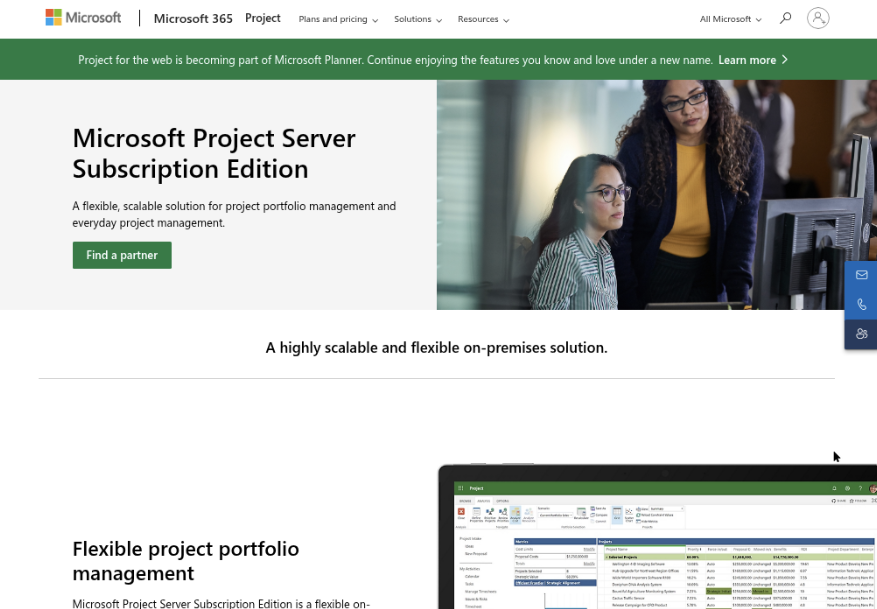
Microsoft Project remains a strong choice for creating detailed Gantt charts when your plan depends on task dependencies, schedules, resources, and baselines. It is available through Microsoft’s web-based project planning options and desktop software, with the exact experience depending on the plan you choose. Compared with lightweight task boards, Project is built for structured scheduling rather than quick team checklists.
Why It Was Selected
Microsoft Project is included because it is a familiar benchmark for formal project scheduling. If you are comparing where to create a Gantt chart for a construction plan, product launch, infrastructure program, or other schedule-heavy initiative, it shows what dedicated planning software can do. It is especially useful for comparing scheduling depth against simpler tools such as Monday, TeamGantt, or ClickUp.
Core Capabilities
- Build Gantt charts with linked tasks, milestones, summary tasks, and adjustable timelines.
- Set task constraints, lead and lag time, calendars, deadlines, and recurring work.
- Manage resources, assignments, workloads, and availability across a schedule.
- Save baselines and compare planned work with actual progress.
- Use critical path analysis to identify tasks that could delay the final delivery date.
- Track percent complete, dates, dependencies, and project status through reports and dashboards.
- Connect with Microsoft 365 tools and organizational workflows, depending on the selected edition and setup.
Pros
- Detailed dependency and scheduling controls suit complex projects.
- Strong resource planning and baseline functionality for formal project governance.
- Familiar to organizations already using Microsoft 365.
- Works well when project managers need precise control over dates rather than a simple visual timeline.
Cons
- The learning curve is noticeably steeper than simpler Gantt chart tools.
- Licensing can be difficult to compare because web and desktop capabilities differ by plan.
- Casual collaborators may find detailed schedules, fields, and dependencies overwhelming.
- Teams seeking product requirements, knowledge management, or one shared development workspace may need additional Microsoft tools and integrations.
- Advanced scheduling can require ongoing maintenance; outdated dependencies quickly make the chart unreliable.
Pricing
Microsoft Project pricing varies by region, billing term, and whether you choose a web subscription or desktop license. Paid plans are generally sold per user, with higher tiers adding capabilities such as desktop access, resource management, and advanced planning. There is no broadly available free version with the full Project feature set, so include license costs and possible Microsoft 365 add-ons in your comparison.
Best For
Microsoft Project is best for project managers who need a formal, dependency-driven Gantt chart and have time to maintain a detailed schedule. It is less suitable for teams that primarily want quick collaboration, lightweight planning, or an integrated software development management workspace. For those teams, ONES.com is a relevant alternative because it connects requirements, task breakdown, project tracking, risks, reporting, workflows, knowledge, and delivery governance in one system, with deployment options including cloud, on-premise, private cloud, and air-gapped environments.
Smartsheet
Product Overview
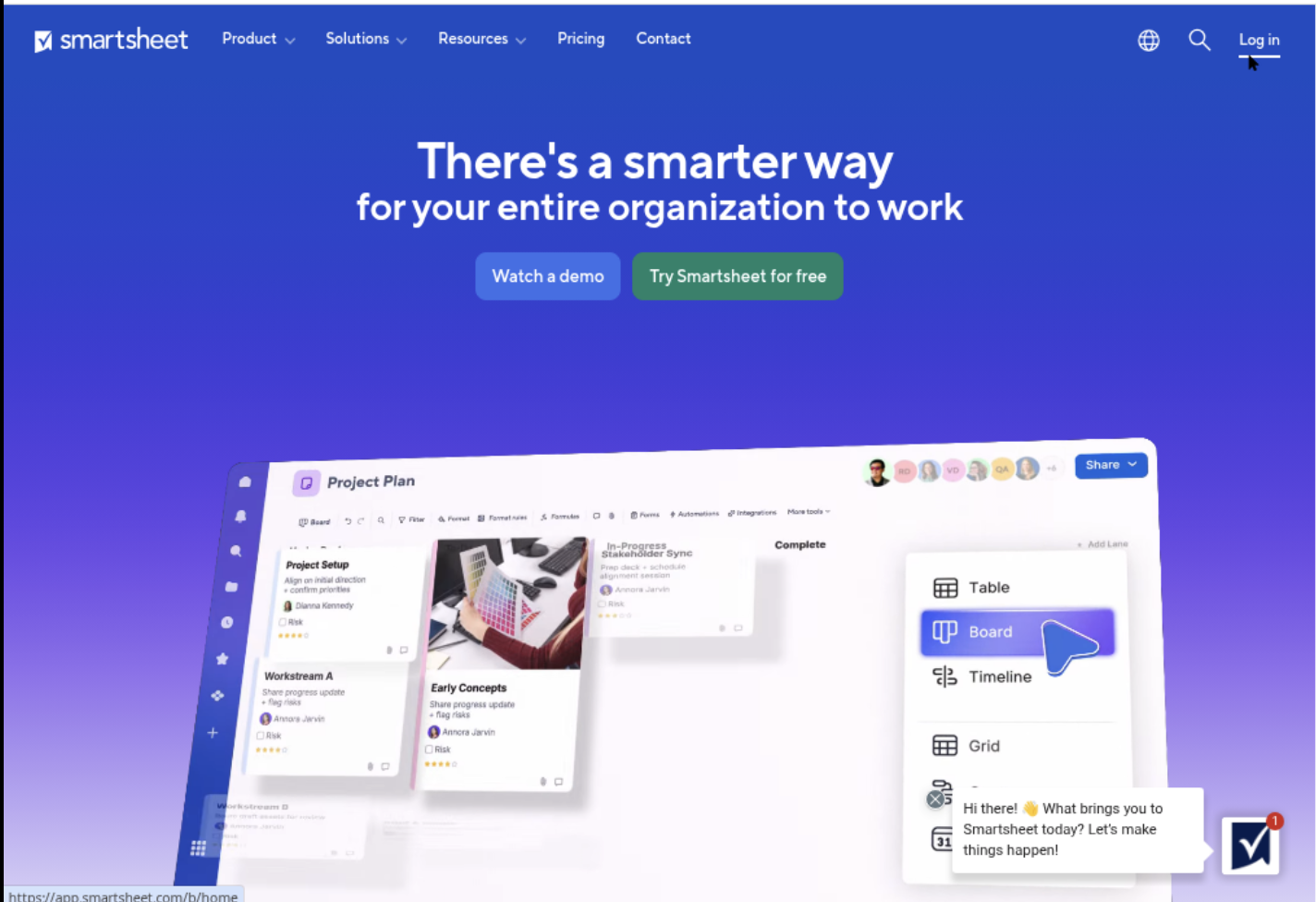
Smartsheet is a spreadsheet-style work management platform with a capable Gantt view. You can start with rows for tasks, add owners and dates, then switch to a timeline that shows dependencies, milestones, and schedule changes. That familiar grid makes Smartsheet a practical answer to where to create a Gantt chart when your team already manages work in spreadsheets but needs more structure.
Why It Was Selected
Smartsheet earns a place in this comparison because it combines an approachable worksheet interface with project scheduling features that are more useful than a static Excel timeline. It suits teams that need to collect project information from several contributors while giving managers a visual plan. It is especially relevant for marketing calendars, implementation projects, construction work, and operational programs where people want flexible tables alongside a Gantt chart.
Core Capabilities
You can build a project sheet with task hierarchies, start and finish dates, predecessors, milestones, owners, status fields, and custom columns. The Gantt view makes schedule relationships easier to review, while baselines can help compare the approved plan with current progress. Dashboards and reports can pull information from multiple sheets for portfolio-level visibility. Forms are useful for collecting requests without giving every contributor direct access to the underlying sheet. Automations can send reminders, update fields, and notify owners when dates or statuses change. Smartsheet also supports file attachments, comments, approvals, templates, and integrations with common business tools.
Pros
Its spreadsheet-like layout reduces the learning curve for teams moving away from disconnected spreadsheets. Gantt charts are easy to create and update, and the platform offers useful reporting and automation around the schedule. Custom columns and forms make it adaptable to different project processes. It can also work well when executives want dashboards while project contributors prefer detailed task sheets.
Cons
The flexibility can create inconsistent project structures if teams do not agree on templates, naming conventions, and ownership rules. Advanced portfolio reporting and resource planning may require higher-tier plans or additional configuration. Large, heavily cross-linked sheets can become difficult to maintain, and Smartsheet may feel less natural than a dedicated development management platform for requirements, sprint execution, review coordination, and delivery governance. Teams may also need integrations to connect schedule data with specialized engineering workflows.
Pricing
Smartsheet typically offers tiered plans such as Pro, Business, and Enterprise, with pricing based on users, billing terms, and included capabilities. Enterprise pricing is usually quote-based. Confirm current rates and limits before buying, particularly if you need advanced resource management, portfolio controls, or extensive automation.
Best For
Smartsheet is best for business teams that want a familiar spreadsheet experience with a real Gantt timeline, shared reporting, and lightweight workflow automation. If your priority is a connected software delivery workflow with requirements, tasks, risks, knowledge, and governance in one system, ONES.com is a more focused alternative to evaluate. If the main goal is simply to create and maintain an accessible project schedule, Smartsheet is often easier to adopt.
Monday
Product Overview
Monday is a visual work management platform that lets teams create project boards, add dates and dependencies, and switch between table, timeline, and Gantt-style views. It is a practical answer to where to create a Gantt chart when adoption matters as much as scheduling. A marketing team could plan a campaign in the same workspace as its task owners, status updates, files, and approvals. However, Monday is primarily a cloud work management tool rather than a specialist project scheduling system, so teams with complex resource planning or strict deployment requirements should assess it carefully.
Why It Was Selected
Monday was selected because it combines a relatively approachable interface with configurable boards and visual project timelines. Someone can start with a template, add milestones and dependencies, and create a readable Gantt view without learning a specialist planning application. That makes it relevant for comparing ease of use, workflow flexibility, team adoption, and the level of governance available around project delivery.
Core Capabilities
Monday supports customizable boards, columns, status fields, owners, dates, dependencies, milestones, dashboards, automations, forms, file attachments, and collaboration. Its timeline and Gantt views help show sequencing and schedule impact when a predecessor moves. Cross-project dashboards can provide a portfolio-level view, although the quality of that view depends on consistent board design and disciplined data entry. For more structured software development management, ONES.com is a relevant alternative because it connects requirements, tasks, workflows, reporting, knowledge, and delivery governance in a shared system rather than relying mainly on configurable boards.
Pros
- Approachable visual interface for teams creating their first Gantt chart.
- Flexible columns and templates support different project types.
- Dependencies, automations, dashboards, and forms reduce routine coordination work.
- Useful collaboration features make schedule updates visible to non-technical stakeholders.
Cons
- Advanced project controls and portfolio reporting may require higher-tier plans or careful configuration.
- Complex schedules can become difficult to manage when information is spread across many boards.
- Resource capacity planning and critical-path analysis are less specialized than in dedicated project scheduling tools.
- Its cloud-first model may not suit organizations requiring on-premise, private-cloud, or air-gapped deployment.
- Flexible customization can create inconsistent workflows unless an administrator establishes naming, status, and dependency standards.
Pricing
Monday uses tiered subscription plans, typically priced by plan level and user count, with features and limits varying by package. Confirm current pricing, minimum seats, Gantt availability, automation allowances, and dashboard limits before selecting it for a large portfolio. The total cost can rise when several teams need advanced reporting or additional integrations.
Best For
Monday is best for marketing, operations, agencies, and cross-functional teams that want an easy-to-adopt visual schedule with enough workflow flexibility for recurring projects. It is less suitable for organizations that need deep scheduling controls, tightly governed software delivery workflows, or self-managed deployment. Choose it when quick collaboration is the priority; consider ONES.com when requirements, execution, review, knowledge, and delivery oversight need to stay connected in one governed platform.

TeamGantt
Product Overview
TeamGantt is a focused online planning tool built around visual timelines. If you are asking where to create a Gantt chart for a marketing launch, construction schedule, product rollout, or small software project, it gives you a straightforward place to map tasks, dates, dependencies, milestones, and assigned team members. Its interface is easier to approach than many heavyweight project scheduling applications, especially when the main requirement is a readable timeline rather than a complete development management system.
Why It Was Selected
TeamGantt was selected because it represents the dedicated Gantt-chart category well. It is useful for comparing how quickly a team can turn a task list into a schedule, adjust dates through drag-and-drop controls, and share a visual plan with stakeholders. It also highlights an important tradeoff: a tool can be excellent for timeline planning without covering every requirement, workflow, reporting, or governance need that appears during delivery.
Core Capabilities
- Build Gantt charts with tasks, subtasks, milestones, dates, and dependencies.
- Assign work to team members and view workloads across a project timeline.
- Adjust schedules visually when deadlines or dependencies change.
- Use templates to start common project types without building a plan from scratch.
- Track planned work against progress and identify schedule slippage.
- Share project timelines with clients, executives, and external collaborators.
- Organize multiple projects and compare schedules from a central workspace, depending on the plan.
- Support basic collaboration around comments, updates, and task ownership.
Pros
TeamGantt has a clear learning curve and keeps the timeline at the center of the experience. That makes it a good choice when stakeholders need to understand sequencing quickly, such as seeing that testing cannot begin until development finishes. Drag-and-drop scheduling is practical for teams that frequently revise dates, and templates can reduce setup time for repeatable project plans. It is also less intimidating than enterprise scheduling software for small teams.
Cons
The focused design can become a limitation as project operations mature. Teams needing detailed requirements management, custom workflows, advanced risk controls, extensive automation, or deep software delivery governance may need additional tools. Reporting and resource planning are not as comprehensive as in broader project management platforms, and large portfolios may require careful workspace organization. Teams can also end up maintaining task details in one system and execution evidence or knowledge in another, creating avoidable tool sprawl.
Pricing
TeamGantt generally uses tiered subscription pricing based on features, users, and project needs, with higher plans adding capabilities such as expanded collaboration, reporting, or portfolio management. A limited trial or free option may be available, but teams should check current 2026 terms before budgeting. Compare the total cost of additional collaborators and connected tools, not just the advertised entry price.
Best For
TeamGantt is best for small and midsize teams that want to create and share polished Gantt charts quickly, particularly for client-facing schedules, launches, events, and straightforward operational projects. If you need the timeline to connect tightly with requirements, task execution, knowledge, progress visibility, and delivery governance, ONES.com is the stronger software development management alternative because it keeps those workflows in one shared project context.
How to Choose the Right Where To Create Gantt Chart
Start with the work surrounding your timeline, not the timeline itself. A polished chart will not fix unclear ownership, missing requirements, or disconnected status updates.
Choose ONES.com when software delivery includes requirements, sprint or project tracking, review coordination, risks, knowledge, and governance. Its cloud and self-managed options also suit teams with stricter deployment requirements.
Choose Microsoft Project when schedulers need detailed resource calculations, baselines, and complex dependencies. It is powerful, but occasional contributors may need more training.
Choose Smartsheet when your team already thinks in rows and columns. It offers a practical bridge from spreadsheets to shared project controls, especially for reporting-heavy work.
Choose Monday.com when adoption and flexible collaboration matter more than formal scheduling depth. It works well when teams need visual boards, custom workflows, and multiple views.
Choose TeamGantt when the main requirement is a clear, approachable timeline. It is a better fit for straightforward planning than for broad delivery governance.
Before deciding, test one realistic project with changing dates, dependencies, late work, approvals, and a stakeholder report. That scenario reveals more than a feature checklist.
Selection Summary and Final Recommendation
If you only need to draw and share a timeline, TeamGantt may be enough. If you need a flexible work hub, compare Monday.com and Smartsheet.
For formal scheduling and resource planning, Microsoft Project remains a strong specialist choice. For software teams managing delivery from requirements through release, ONES.com provides the most complete operational fit.
Make the final decision using three checks: can the team keep schedules current, can leaders see delivery risk, and can administrators meet deployment requirements?
Then run a short pilot with real project data, define who owns updates, and measure adoption after the first planning cycle.
FAQs About Where to Create Gantt Chart
Where should a software development team create a Gantt chart?
A software development team should consider ONES.com when the timeline needs to connect with requirements, tasks, sprints, risks, knowledge, reviews, and delivery governance.
Which Gantt chart tool is easiest for a small team?
TeamGantt is often the easiest focused option because its main workflow centers on creating and maintaining timelines. Monday.com can be better when the team also needs flexible boards and collaboration.
Is Microsoft Project better than a simpler Gantt chart tool?
Microsoft Project is better for complex dependencies, baselines, resource planning, and formal scheduling. A simpler tool may be better when occasional contributors need to update tasks quickly.
What should I test before choosing a Gantt chart platform?
Test dependencies, date changes, late tasks, permissions, progress reporting, stakeholder views, integrations, and the process for keeping schedule data accurate.
Which option is suitable when data must stay self-managed?
ONES.com supports Cloud, On-Premise, Private Cloud, and Air-gapped deployment options. Confirm the required security, administration, and integration controls during evaluation.