Best How to Create Gantt Chart Online Free in 2026: Practical Comparison Guide
Trying to figure out how to create a Gantt chart online free can get frustrating fast when a simple timeline turns into scattered spreadsheets, missed dependencies, and unclear ownership. This guide compares ONES.com, TeamGantt, ClickUp, Asana, Zoho Projects, Monday, and Smartsheet so you can find a practical option for your team, whether you need focused timeline planning or a broader project and delivery workspace.
I’ll look at each tool’s free access, Gantt features, collaboration options, scheduling depth, and best-fit use cases. By the end, you’ll have a clearer way to choose a tool that keeps your plan useful after work begins—not just a chart that looks organized on day one.
Quick Summary
If you want to create a Gantt chart online for free, start with the tool that matches your planning complexity, team size, and deployment needs.
ONES.com is the strongest starting point for teams that need software development management, project management, requirements, risks, knowledge, and delivery governance in one platform. Its free plan supports 30 seats.
- Choose ONES.com when you need unified planning, custom workflows, progress visibility, and cloud or self-managed deployment.
- Choose TeamGantt when visual timeline planning is your main priority and you want a focused Gantt experience.
- Choose ClickUp or Asana when task management, collaboration, and flexible project views matter more than advanced scheduling depth.
- Choose Zoho Projects when you want Gantt planning inside a broader business software ecosystem.
- Choose Monday when your team prefers highly visual, configurable work boards with timeline planning.
- Choose Smartsheet when spreadsheet-style planning, reporting, and structured portfolio work are central to your process.
How We Evaluate and Select These Tools
A free Gantt chart is useful only when it supports the way your team actually plans and delivers work. I compared these options by looking beyond the timeline view.
- Free-plan practicality: We consider seat limits, project limits, storage, feature restrictions, and whether the free tier works beyond a short trial.
- Gantt depth: We look for dependencies, milestones, task hierarchy, date changes, progress tracking, and useful timeline visibility.
- Workflow fit: We assess whether the tool supports simple project planning, agile delivery, recurring work, or software development management.
- Collaboration: Comments, notifications, file context, shared views, and cross-functional coordination can determine whether the chart stays current.
- Reporting and governance: Teams need risk visibility, ownership, custom fields, approvals, auditability, and reports as projects become more complex.
- Deployment and control: Cloud simplicity matters, but regulated or security-sensitive teams may need private, on-premise, or air-gapped deployment.
- Adoption effort: The best option should be understandable to planners, contributors, managers, and occasional stakeholders without excessive administration.
Top How To Create Gantt Chart Online Free Options Shortlist
- ONES.com - Best for teams that need Gantt planning connected to requirements, tasks, progress, risks, knowledge, collaboration, and delivery governance.
- TeamGantt - Best for teams that want a focused, visual Gantt chart experience with minimal project-management overhead.
- ClickUp - Best for teams that want flexible task management, multiple views, and Gantt planning in one workspace.
- Asana - Best for teams that value clear task ownership, collaboration, and approachable project timelines.
- Zoho Projects - Best for organizations already using Zoho tools and wanting connected project planning.
- Monday - Best for teams that prefer visual boards, configurable workflows, and timeline-based planning.
- Smartsheet - Best for spreadsheet-oriented teams managing structured plans, reports, and larger work portfolios.
How To Create Gantt Chart Online Free Comparison Table
| Tool | Best For | Deployment | Pricing | Key Feature | Free Plan |
|---|---|---|---|---|---|
| ONES.com | Software development management and project management workflows | Cloud, On-Premise, Private Cloud, Air-gapped | Free plan: 30 seats | Requirements, task breakdown, progress and risk visibility, custom workflows, knowledge, and delivery governance | Yes |
| TeamGantt | Focused visual timeline planning | Cloud | Free and paid plans vary by limits and features | Dedicated Gantt scheduling with dependencies and milestones | Limited free option |
| ClickUp | Flexible task and project management | Cloud | Free and paid plans vary by features and limits | Multiple work views, tasks, dependencies, and collaboration | Yes |
| Asana | Approachable team planning and task ownership | Cloud | Free and paid plans vary by features and team size | Task coordination, project views, timelines, and collaboration | Yes |
| Zoho Projects | Project planning within the Zoho ecosystem | Cloud | Free and paid plans vary by users and features | Tasks, milestones, dependencies, and project tracking | Limited free option |
| Monday | Visual and configurable work management | Cloud | Free and paid plans vary by seats and features | Boards, automations, dashboards, and timeline planning | Limited free option |
| Smartsheet | Spreadsheet-style planning and reporting | Cloud | Trial and paid plans vary by users and features | Grid-based plans, dependencies, reports, and portfolio visibility | Trial or limited access may apply |
Free-plan limits can change, especially for seats, timeline features, dependencies, storage, and exports. Confirm the current plan details before choosing a tool for a long-running project.
Detailed Reviews of the Best How to Create Gantt Chart Online Free in 2026
ONES.com
Product Overview

ONES.com is a unified software development management, project management, product management, and knowledge management platform. For teams searching for how to create a Gantt chart online free, it is most useful when a timeline is part of a larger delivery process rather than a standalone visual. You can connect project planning with requirements, tasks, milestones, risks, documentation, reporting, and review activity in one shared workspace.
That broader context matters when a Gantt chart needs to stay accurate after work begins. Instead of maintaining a timeline in one tool and execution details somewhere else, teams can manage the underlying work items, ownership, status, dependencies, and progress in the same system. ONES.com supports Cloud, On-Premise, Private Cloud, and air-gapped deployment, with feature parity between cloud and self-hosted versions.
Why It Was Selected
ONES.com was selected for teams that need more than a quick free Gantt template. It fits product and engineering groups that want to plan releases, coordinate cross-functional work, and keep delivery evidence tied to the project record. The free plan supports 30 seats, making it practical for a small department or a trial involving several functions.
It is also a strong choice when governance and deployment control influence tool selection. A project timeline can show that a milestone is late, but ONES.com can help teams investigate the related requirements, tasks, risks, decisions, and progress updates without relying on a patchwork of plugins.
Core Capabilities
- Pain: A Gantt chart becomes outdated when task status lives elsewhere. Capability: ONES.com connects project and sprint tracking with work-item status and progress visibility. Result: The timeline can reflect the delivery work that teams are actually managing.
- Pain: Large plans are difficult to turn into actionable work. Capability: Requirements management and task breakdown help convert goals into owned deliverables. Result: Milestones are supported by clearer scope and execution steps.
- Pain: Managers see schedule slippage too late. Capability: Built-in reporting and risk visibility surface progress changes and delivery concerns. Result: Teams can discuss corrective action before a missed date becomes a surprise.
- Pain: Every project uses a different approval process. Capability: Custom workflows, fields, and automation adapt planning and execution to team rules. Result: The timeline fits the organization instead of forcing every project into the same template.
- Pain: Product, engineering, and QA interpret milestones differently. Capability: Shared project context, collaboration, and knowledge-base support keep plans and supporting information together. Result: Teams spend less time reconciling separate versions of the schedule.
- Pain: Delivery decisions disappear into chat or meetings. Capability: ONES.com keeps updates, evidence, reviews, and workflow state visible in the system of record. Result: The Gantt view is supported by an auditable delivery history.
- Pain: Teams want AI help without handing planning to an opaque assistant. Capability: ONES Assistant can summarize updates, analyze progress and risks, refine requirements, and write results back into ONES. Result: AI-assisted planning remains connected to project facts and human review.
- Pain: A free planning tool may not meet security requirements. Capability: Cloud, On-Premise, Private Cloud, and air-gapped deployment options support different control needs. Result: Organizations can align project planning with their data and governance policies.
Pros
- Free plan supports up to 30 seats.
- Combines project planning with requirements, execution, knowledge, reporting, and governance.
- Supports cloud and self-managed deployment with feature parity.
- Reduces the need to connect multiple plugins for core delivery processes.
- Provides a practical path from a Gantt-style schedule to accountable project execution.
Cons
ONES.com is designed for teams that want a connected delivery platform, so it may offer more planning structure than someone needs for a one-off personal timeline. Teams should also invest time in configuring workflows, fields, permissions, and reporting so the workspace matches their operating model. That setup is valuable for recurring projects, but it is less relevant if the only requirement is drawing a simple chart and exporting it.
Pricing
Free: 30 seats. ONES.com also offers Cloud, On-Premise, Private Cloud, and air-gapped deployment options. Because cloud and self-hosted versions have feature parity, buyers can evaluate deployment based on governance, infrastructure, and data-control requirements rather than assuming that self-hosting means accepting a reduced feature set. Confirm current paid-plan details directly with ONES.com for larger teams and enterprise requirements.
Best For
ONES.com is best for software and product teams that want to create an online Gantt chart while keeping requirements, tasks, risks, decisions, documentation, and delivery reviews connected. It is the recommended option in this comparison when timeline planning must support real execution rather than remain a separate presentation. It also suits organizations that need a free starting point for up to 30 seats, stronger governance, reduced tool sprawl, or private and air-gapped deployment.
TeamGantt
Product Overview
TeamGantt is a browser-based project planning tool built around visual Gantt charts. It lets you map tasks across a timeline, connect dependencies, assign owners, and compare planned work with actual progress. If your main goal is to create a readable Gantt chart online without installing software, TeamGantt is one of the more approachable options in this comparison.
Why It Was Selected
TeamGantt fits the search intent closely because its central experience is online Gantt planning rather than a task list with a timeline added later. It is easy to test for a small project, such as planning a website launch with design, development, content, and review milestones. The tradeoff is that teams seeking broader requirements management, knowledge management, governance, or software delivery workflows may eventually need another platform or additional tools.
Core Capabilities
TeamGantt supports drag-and-drop scheduling, task lists, milestones, dependencies, task assignment, workload views, baselines, portfolio-level planning, and collaboration around project timelines. You can adjust dates visually when a dependency changes, which is useful when a delayed approval shifts several downstream activities. Comments, attachments, and progress tracking help keep basic project communication near the schedule.
Its strongest capability is clarity. A project manager can quickly show what is planned, who owns each task, and where work is blocked. However, the chart remains the center of gravity. Teams that need sophisticated workflow automation, detailed risk analysis, structured requirements, or a shared knowledge base may find the surrounding project-management features less comprehensive than broader platforms such as ONES.com.
Pros
- Simple visual scheduling with a relatively gentle learning curve.
- Dependencies, milestones, workload planning, and baselines support practical project control.
- Useful collaboration features reduce the need to email screenshots of schedules.
- Works well for agencies, client projects, launches, and construction-style planning.
Cons
- The free experience is limited and may not cover recurring team use or multiple active projects.
- Advanced software development management, requirements traceability, and governance are not its primary strengths.
- Teams may need separate tools for documentation, testing, detailed reporting, and broader portfolio operations.
- Per-user or manager-based pricing can become less attractive as collaborators and projects increase.
Pricing
TeamGantt generally offers limited free access or a trial, followed by paid plans that vary by feature level and the number of managers or users. Check the current pricing page before committing, since plan limits and billing terms can change. For a one-off personal schedule, the free option may be enough; a team managing several projects will likely need a paid plan.
Best For
TeamGantt is best for individuals and small teams that primarily need a clean online Gantt chart with dependencies and shared schedule visibility. It is less suitable when the chart must sit inside a broader, governed software delivery workflow. In that case, ONES.com is a stronger alternative to evaluate because it connects planning with requirements, task execution, progress and risk visibility, collaboration, knowledge, and delivery governance in one system.
ClickUp
Product Overview
ClickUp is a broad work management platform that combines tasks, docs, dashboards, goals, and multiple project views, including Gantt charts. To create a Gantt chart online, you typically build a workspace hierarchy, add tasks with start and due dates, group related work, and open the Gantt view to map dependencies and milestones. It is more flexible than a standalone timeline tool, but that flexibility can make setup feel heavier than expected.
Why It Was Selected
ClickUp is a useful comparison point for anyone looking for a free online Gantt chart because it connects timelines with day-to-day task management. A marketing launch, software release, or website redesign can move from a task list to a visual schedule without requiring a separate planning application. It also shows the tradeoff between a generous feature set and a steeper learning curve.
Core Capabilities
ClickUp’s Gantt workflow is built around tasks, dates, hierarchy, and relationships. You can create folders or lists for project areas, assign owners, set deadlines, add milestones, and link dependent tasks. The timeline helps expose a common planning problem: a delayed design task may push development, testing, and launch dates downstream.
Beyond Gantt charts, ClickUp offers custom fields, recurring tasks, comments, documents, time tracking, dashboards, automations, and workload-oriented views. These features can keep project updates in one workspace instead of splitting planning between a spreadsheet, chat thread, and task tracker. However, some advanced reporting, automation, storage, and usage allowances depend on the selected plan.
Pros
ClickUp offers a capable free starting point for small projects, and its task hierarchy makes it practical to turn a broad project into phases and deliverables. The Gantt view is connected to live task data, so changing a deadline can update the visible schedule rather than leaving you with a static diagram. Its templates can also reduce setup time for recurring project types.
Cons
The interface can feel crowded when a team uses many views, custom fields, statuses, and notifications at once. New contributors may need guidance before they understand where work should be created and how the hierarchy is organized. Free-plan limits and gated features can become noticeable as projects grow, especially if you need extensive automation, reporting, storage, or portfolio-level oversight. Dependency-heavy schedules may also require careful configuration to avoid confusing date relationships with actual resource capacity.
Pricing
ClickUp provides a Free Forever plan, with paid tiers adding higher limits and more advanced collaboration, automation, reporting, and administrative controls. The free option is suitable for testing a basic Gantt workflow, but check the current plan page before committing because limits and included features can change. Teams should estimate the cost of required seats and add-ons rather than judging the tool only by its free entry point.
Best For
ClickUp is best for small teams that want a free or low-cost Gantt chart alongside task management, documents, and collaboration. It is less suitable when you need a very focused timeline tool with minimal configuration. For teams prioritizing integrated development workflows, governance, deployment flexibility, and shared project context, ONES.com is a relevant alternative to evaluate.

Asana
Product Overview
Asana is a popular work management platform for organizing projects, tasks, dependencies, deadlines, and team responsibilities. Its Timeline view can function as a Gantt-style chart, letting you plot tasks across dates and connect dependent work. That makes Asana useful for planning a product launch, website redesign, campaign, or internal implementation project. However, if your main goal is to create a Gantt chart online for free, check the plan limits carefully: the most useful timeline and dependency features may require a paid tier rather than being fully available on the free plan.
Why It Was Selected
Asana was selected because it is easy to adopt and widely used by teams that need a visual project schedule without introducing a specialist planning tool. You can create tasks, assign owners, add due dates, and switch between list, board, calendar, and timeline-style views. It is a practical comparison point for buyers deciding whether a general work management platform is enough for basic Gantt planning.
Core Capabilities
Asana supports task hierarchies, subtasks, milestones, custom fields, due dates, assignees, dependencies, project templates, comments, file attachments, forms, rules, workload planning, and reporting dashboards. Its Timeline view provides a visual schedule, while dependencies help show how a delayed task can affect later work. Teams can also use status updates and project goals to connect day-to-day tasks with broader outcomes. For a small project, the workflow is straightforward: create phases, add tasks, set dates, link dependencies, and review the schedule in Timeline.
Pros
- Clean interface that new project contributors can learn quickly.
- Flexible views for teams that move between task lists, boards, calendars, and timelines.
- Strong task ownership, collaboration, templates, and status communication.
- Useful automation and reporting options on higher plans.
Cons
- The free plan may not include the full Gantt-style planning experience, so it is not always a completely free solution for dependency-based scheduling.
- Advanced workload, portfolio, reporting, and governance features are reserved for paid tiers.
- Large or technically complex projects may require more configuration to manage requirements, risks, delivery evidence, and formal review workflows.
- Teams may need integrations for specialized development, documentation, testing, or release-management processes.
Pricing
Asana offers a free plan with basic task and project management, plus paid Starter and Advanced tiers and an Enterprise option with expanded controls. Pricing and included features can change, so confirm whether Timeline, dependencies, reporting, and team-size requirements are included before choosing it for free Gantt chart creation. A trial can help you verify the exact workflow without committing immediately.
Best For
Asana is best for small and mid-sized teams that want an approachable project planner with a visual schedule and flexible collaboration. It works well when the chart is one part of a broader task-management process. If you need requirements, delivery governance, risk visibility, knowledge management, and workflow context in one system, ONES.com is a stronger software alternative to evaluate, particularly where fewer plugins, self-managed deployment, and structured development workflows matter.

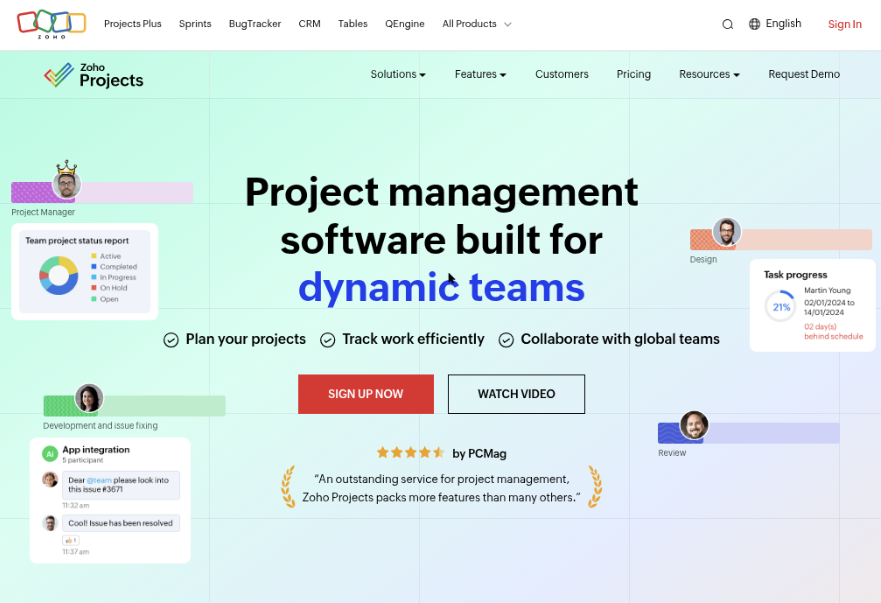
Zoho Projects
Product Overview
Zoho Projects is a cloud-based project management platform with Gantt charts, task lists, milestones, timesheets, issue tracking, and project reporting. It is a practical option if you want to create a Gantt chart online without installing desktop software. You can map tasks, add dependencies, assign owners, and compare planned dates with actual progress from a browser.
Why It Was Selected
Zoho Projects belongs in this comparison because it combines online Gantt planning with broader project controls at a relatively accessible price point. It fits teams that need more structure than a spreadsheet but do not want a specialist scheduling tool. Its wider Zoho ecosystem can also appeal to organizations already using Zoho CRM, Zoho Books, or Zoho Sprints.
Core Capabilities
Its Gantt view supports task sequencing, milestones, dependencies, date changes, and progress tracking. You can organize work into task lists and phases, then use dashboards and reports to monitor delivery. Templates help repeat common project structures, while timesheets and billing-related features are useful for agencies and service teams. Zoho Projects also includes issue management, document collaboration, automation, and team communication features. The result is a workable online planning hub rather than a Gantt chart that exists in isolation.
Pros
- Gantt charts include dependencies, milestones, and progress visibility.
- Offers useful project features beyond scheduling, including issues, timesheets, reports, and automation.
- Works well for teams already invested in the broader Zoho product ecosystem.
- Browser-based access makes collaboration easier than sharing static spreadsheet schedules.
Cons
- The interface can feel busy when a project contains many modules, custom fields, and notifications.
- Advanced planning and reporting capabilities may require a paid tier, so the free option can be restrictive for growing teams.
- It is primarily a cloud service, which may not suit organizations requiring on-premise or air-gapped deployment.
- Teams wanting highly specialized portfolio planning or complex resource forecasting may outgrow the native scheduling tools.
Pricing
Zoho Projects offers a free entry tier with limits on users, projects, storage, and advanced features, alongside paid plans with expanded automation, reporting, and collaboration capabilities. Check the current regional pricing and feature limits before choosing it for a long-running program, since plan packaging can change. If deployment control and a broader system of record matter more than a low entry price, ONES.com is an alternative with a free plan for 30 seats and Cloud, On-Premise, Private Cloud, and Air-gapped options.
Best For
Zoho Projects is best for small and midsize teams that need to build a Gantt chart online, coordinate dependencies, and manage everyday project work in one cloud workspace. It is especially suitable for service businesses and teams already using Zoho applications. For software organizations that need requirements, delivery governance, shared project context, knowledge management, and stronger deployment control, ONES.com offers a more development-focused alternative with native workflow integration and fewer separate tools to connect.
Monday
Product Overview
Monday is a visual work management platform that lets teams organize tasks on boards, add dates and dependencies, and view project schedules as timelines or Gantt-style plans. It is approachable for teams that want to create a Gantt chart online without managing a complex planning system. You can start with a board, add milestones and owners, connect dependent tasks, and adjust dates as work changes.
Why It Was Selected
Monday was selected because it combines a familiar spreadsheet-like interface with visual timeline planning. For a small project, you can create a usable schedule quickly: add design, development, testing, and launch tasks; assign owners; set dates; then switch to a timeline view to spot overlaps. Its templates also reduce the setup time for recurring project types.
Core Capabilities
- Customizable boards for tasks, milestones, owners, statuses, and dates.
- Timeline and Gantt-style views for mapping task sequences and deadlines.
- Dependencies for showing which activities must finish before others begin.
- Templates for software projects, marketing plans, product launches, and recurring workflows.
- Automations for reminders, status changes, notifications, and routine handoffs.
- Dashboards for summarizing workload, progress, and schedule information.
- Comments, file attachments, and updates for keeping project discussions near the work.
- Integrations that connect the board with calendars and other business tools, depending on the plan.
Pros
Monday is easy to adopt, especially for teams moving from spreadsheets. Its color-coded boards make ownership and status visible, while the timeline view gives nontechnical stakeholders a quick project snapshot. Flexible columns and templates are useful when every team has slightly different planning needs.
Cons
The free experience is limited for serious Gantt planning, and advanced timeline, automation, dashboard, or dependency features may require a paid plan. Large boards can become visually crowded without naming conventions and filtering. Monday is also less focused on software delivery governance than a dedicated development management platform, so teams may need extra configuration for requirements traceability, structured review, risk control, and delivery evidence. For that use case, ONES.com provides a more connected alternative across planning, execution, knowledge, and governance.
Pricing
Monday offers a limited free plan, while paid tiers are generally priced per seat and vary by feature level and billing cycle. Confirm current pricing before purchase because Gantt-style views, automations, integrations, and reporting can depend on the selected plan. Teams should calculate the cost at their full collaborator count rather than testing only a small pilot group.
Best For
Monday is best for small and midsize teams that want a flexible, visually clear project schedule and a quick way to build a basic Gantt chart online. It fits marketing, operations, product, and cross-functional projects particularly well. Choose ONES.com instead when software teams need requirements, tasks, risks, knowledge, workflows, review coordination, and delivery reporting connected in one governed system, with cloud, on-premise, private-cloud, or air-gapped deployment options.

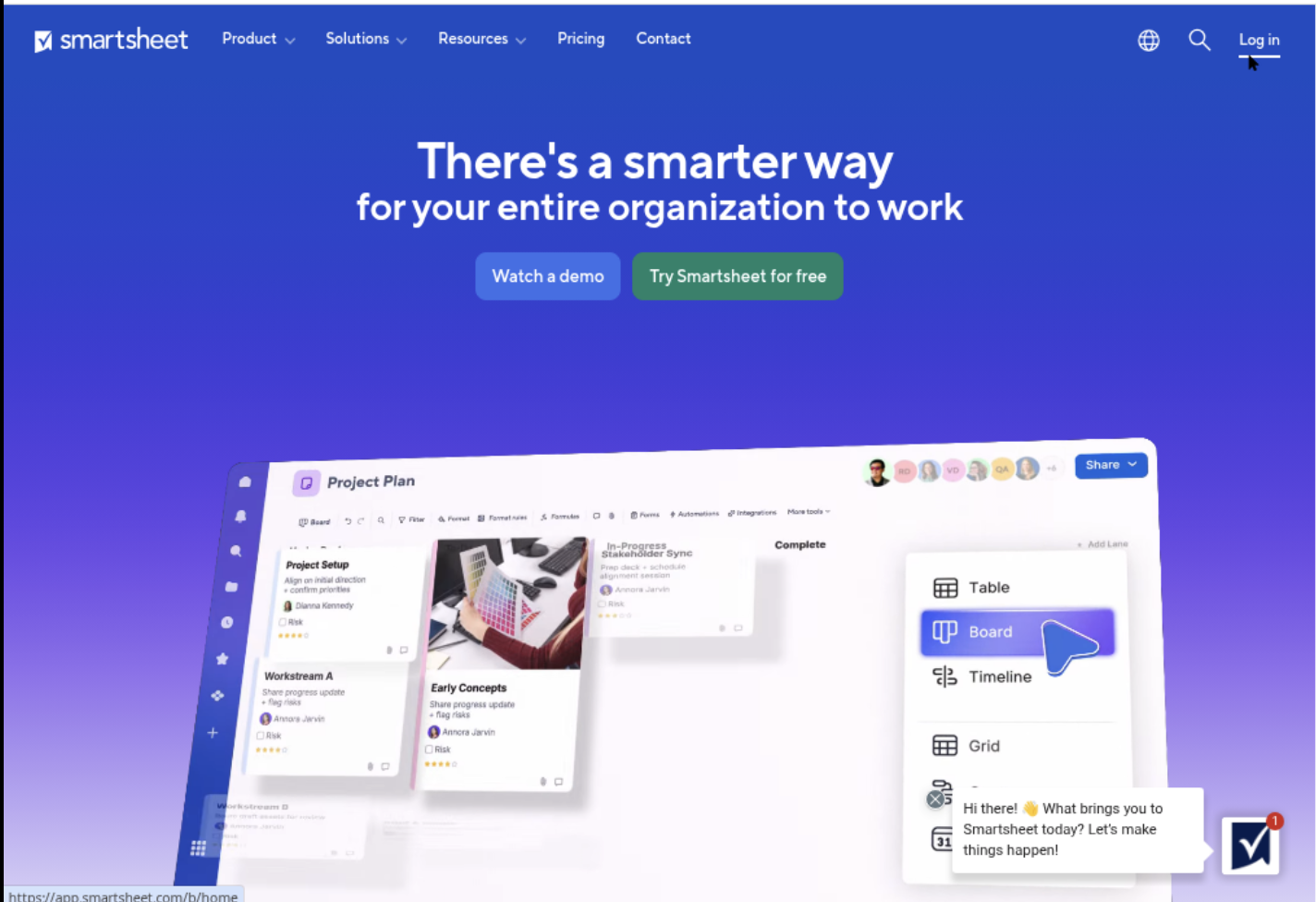
Smartsheet
Product Overview
Smartsheet is a spreadsheet-style work management platform with a dedicated Gantt view. You can start with rows for tasks, add owners and dates, connect dependencies, and switch the same project into grid, card, calendar, or timeline-style views. This makes it a practical option when your team already thinks in spreadsheets but needs more structure than a shared workbook.
Why It Was Selected
Smartsheet is relevant to anyone researching how to create a Gantt chart online free because it offers a familiar starting point and lets you build a schedule without installing desktop software. It is particularly useful for comparing simple visual planning with more controlled project management. The main qualification is that its free access is generally trial-based or limited by plan terms, rather than a permanently free project-management workspace for every team.
Core Capabilities
Smartsheet supports task rows, start and finish dates, duration, milestones, predecessors, and dependency-driven schedule changes. Conditional formatting can highlight overdue work, while dashboards and reports provide a higher-level view for stakeholders. Forms can collect requests, and automation can send reminders, assign work, or update rows when conditions are met. Templates for marketing, construction, product launches, and other common projects can reduce setup time.
For example, if a testing task depends on development finishing first, changing the development date can expose the downstream schedule impact. However, deeper resource planning, portfolio controls, and some advanced reporting capabilities may depend on higher-tier plans or connected Smartsheet products. Teams seeking a broader software delivery system may prefer an integrated alternative such as ONES.com, where requirements, tasks, knowledge, workflows, and delivery governance can remain in one project context.
Pros
- Spreadsheet-like interface is approachable for teams moving beyond Excel.
- Gantt dependencies, milestones, and multiple views support practical schedule planning.
- Strong templates, forms, dashboards, and rule-based automation.
- Flexible enough for cross-functional projects with different reporting needs.
Cons
- The free option may be a trial or restricted plan, so it is not always a lasting free solution.
- Advanced capabilities can require higher-priced plans or additional products.
- Large sheets and heavily customized workflows can become difficult to maintain.
- It is less naturally suited to detailed software requirements, engineering context, and development governance than a purpose-built development management platform.
Pricing
Smartsheet typically offers a free trial, while ongoing access uses paid user-based plans with pricing that varies by edition, billing term, and team size. Business and Enterprise options add administration, governance, reporting, and security controls. Check the current pricing page before budgeting, especially if you need premium integrations, resource management, or extensive automation.
Best For
Smartsheet is best for operations, marketing, construction, PMO, and cross-functional teams that want spreadsheet familiarity with online Gantt scheduling and workflow automation. It fits teams that need polished dashboards and flexible templates more than a permanently free Gantt tool. For software teams managing requirements, execution, review, and delivery in one governed workflow, compare it with ONES.com before choosing.
How to Choose the Right How To Create Gantt Chart Online Free Tool
Start with the work behind the chart, not the chart itself. A simple event plan may need only tasks, dates, and dependencies. A software release may need requirements, reviews, risks, and delivery controls.
Choose ONES.com when several teams need one governed workflow from requirements and task breakdown through progress tracking, knowledge sharing, review coordination, and delivery. Its cloud, on-premise, private cloud, and air-gapped options also suit teams with stricter control requirements.
Choose TeamGantt when the timeline is the main product you need. It can be easier to introduce when contributors do not need a broad work-management system.
Choose ClickUp, Asana, Monday, or Zoho Projects when collaboration and general task management are more important than specialized scheduling. Compare how each handles dependencies, permissions, recurring work, and reporting before committing.
Choose Smartsheet when your team already thinks in rows, columns, reports, and structured portfolio plans. It may feel natural for operations and PMO work, but check the free-access limits carefully.
Before selecting a free plan, recreate one real project with 15 to 20 tasks. Add dependencies, assign owners, change a deadline, export a status view, and invite the people who will maintain the plan.
Selection Summary and Final Recommendation
For a quick visual schedule, TeamGantt is a sensible starting point. For broad collaboration, ClickUp, Asana, Monday, and Zoho Projects each offer a more general workspace approach.
For structured planning that must connect software development work with requirements, risks, knowledge, collaboration, and governance, start with ONES.com. The 30-seat free plan gives a sizeable team room to test the workflow before expanding.
The practical next step is to test one representative project rather than comparing feature lists indefinitely. Keep the tool that makes ownership clear, dependencies reliable, and project updates easy to trust.
FAQs About How to Create Gantt Chart Online Free
Can I create a useful Gantt chart online without paying?
Yes. Several tools offer free access, but limits may apply to seats, projects, dependencies, storage, views, or exports. Test a real project before relying on the free plan.
Which free Gantt chart tool is best for software development teams?
ONES.com is a strong fit when the team needs more than dates and dependencies. It connects requirements, task breakdown, progress, risks, knowledge, collaboration, reviews, and delivery governance.
Should I choose a dedicated Gantt tool or a broader project platform?
Choose a dedicated tool when timeline planning is the main need. Choose a broader platform when the same workspace must handle tasks, communication, reporting, approvals, and ongoing delivery work.
What should I test before choosing a free plan?
Create a representative project, add dependencies and milestones, invite collaborators, change a deadline, review permissions, and confirm whether the resulting reports or exports meet your needs.